

Moodle Mobile App Development: The Complete 2026 Guide
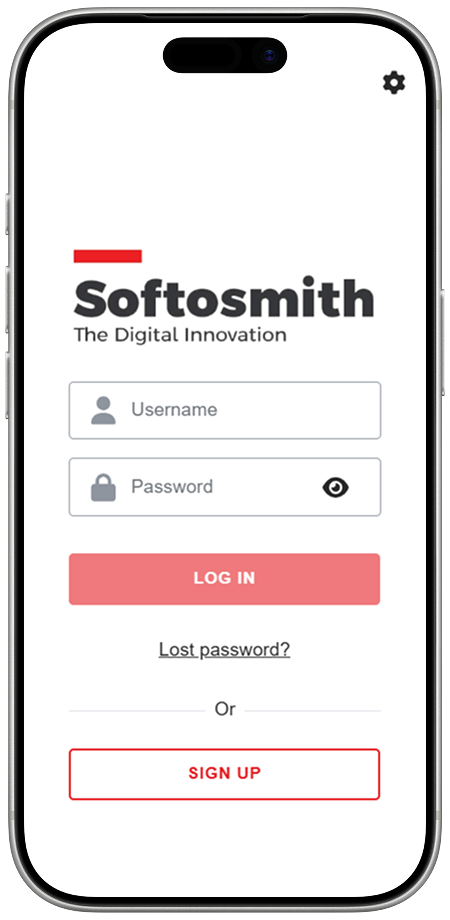
Key Insights & Technical Highlights
- Mobile-First Shift: 75%+ of active LMS learners access courses via smartphones; desktop web themes cause friction and dropouts.
- Architecture Choice: Compare white-labeling Moodle's official Ionic/Angular app vs. building a custom headless app (Flutter / React Native) with REST APIs.
- Offline Sync Engine: Pre-download SCORM/H5P packages, store encrypted data in SQLCipher local DB, and auto-sync offline quiz submissions.
- Push Notifications: Moodle relies on Airnotifier to bridge Google FCM and Apple APNs — see our dedicated Airnotifier self-hosting guide for the full setup walkthrough.
- Enterprise Security: Implement TLS 1.3, SSL certificate pinning, video DRM protection, biometrics (Face ID/Touch ID), and SAML 2.0 / OAuth2 SSO.
- Custom API Extensions: Extend Moodle core backend using custom PHP web service plugins (
db/services.php) to expose proprietary data. - Direct Service Link: Need turn-key delivery? Explore our specialized Moodle Mobile App Development Services.
Over 75% of global learners now access educational content, quizzes, and course discussions on mobile devices. Yet, hundreds of universities, corporations, and government training organizations still rely on desktop-centric LMS interfaces. When forced onto mobile browsers, desktop-first interfaces create friction: broken layout scaling, high latency, missing offline access, and poor completion rates.
Moodle™ is the world’s most widely deployed open-source Learning Management System (LMS), powering over 350 million users worldwide. To deliver learning that fits modern habits, organizations are turning to Moodle mobile app development. Whether through white-labeling the official Moodle app, customizing the Ionic codebase, or engineering a bespoke headless mobile app in Flutter or React Native, mobile applications bridge the gap between institutional content and learner engagement.
1. The Mobile-First Learning Imperative
Modern mobile learners demand instantaneous load times, swipe gestures, native push notifications, and seamless offline accessibility during commutes or field operations. Organizations transitioning from browser-based LMS access to native mobile learning apps report:
- 45% Higher Course Completion Rates compared to desktop LMS portals.
- 3x Faster Progression through micro-learning modules (3–5 minute sessions).
- 90%+ Push Notification Open Rates for deadline alerts and grade releases compared to submerged email notifications.
2. Technical Architecture: How Moodle Mobile Applications Work
The mobile ecosystem for Moodle relies on a decoupled, client-server architecture where the mobile app communicates exclusively with the Moodle backend through dedicated Web Services API endpoints.
2.1 The Official Stack: Ionic, Angular & Capacitor
The standard Moodle Mobile application is an open-source cross-platform application built on:
- Ionic Framework & Angular: Ionic supplies touch-optimized UI components (cards, lists, modals) while Angular manages reactive state, dependency injection, and routing.
- Capacitor / Cordova Plugins: Native wrapper plugins provide direct hardware hooks into device APIs, including camera access, file system access, biometric hardware (Face ID / Touch ID), local push notifications, and network status monitoring.
- SQLite Local Database: A local database caches course structures, SCORM packages, quiz questions, and pending offline submissions.
2.2 The Web Services API Layer (moodle_mobile_app)
Moodle does not expose direct database connections to mobile devices. Instead, all communication flows through the core moodle_mobile_app web service plugin using REST/JSON endpoints for authentication, token issuance, course fetching, and assignment submissions.
3. Architecture Choice: Official Ionic Fork vs. Custom Headless App (Flutter / React Native)
When planning your mobile strategy, one of the most critical engineering decisions is choosing between forking/customizing the official Ionic app or building a custom headless mobile application from scratch.
| Criteria | Forking Moodle Ionic App | Custom Headless (Flutter / RN) | Progressive Web App (PWA) |
|---|---|---|---|
| Development Speed | Fast (2-4 weeks) | Moderate (8-14 weeks) | Very Fast (1-3 weeks) |
| UI/UX Customization | Moderate (CSS Tokens) | Unlimited (Custom Canvas) | Restricted to Webview |
| Performance (FPS) | Good (60 FPS Webview) | Exceptional (120 FPS Native) | Browser Dependent |
| Offline Sync Engine | Built-in (Moodle Core) | Must Build Custom Sync | Basic (Service Workers) |
| Best For | Universities & Schools | Enterprise L&D & EdTech SaaS | Short-term Events / MVP |
For organizations seeking a rapid, fully compliant deployment under their own App Store and Google Play accounts, working with professional Moodle mobile app development services guarantees smooth theme customisation, SSO authentication, and App Store submission management.
4. Offline-First Learning Engine: Download, Learn, Sync
In regions with spotty cellular networks, during commutes, or in field-based enterprise training (e.g., maritime, aviation, remote mining, healthcare), offline connectivity is a strict operational requirement.
4.1 Content Pre-Download & Local Caching
An enterprise Moodle mobile app allows learners to selectively download course materials:
- Selective Module Download: Download specific sections, videos, or assignments to manage device storage limits.
- H5P & SCORM Offline Execution: Pre-unpacking ZIP packages into local directory structures where embedded JavaScript runs within an offline web container, tracking scores locally.
- Conflict Resolution Rules: Implementing Last-Write-Wins (LWW) for draft assignments and Server Priority for updated quiz answer keys.
5. Enterprise Security, Compliance & DRM Protection
Deploying a mobile LMS application within enterprise or government environments demands rigorous security measures to protect intellectual property and student Personal Identifiable Information (PII).
- Local Database Encryption (SQLCipher): Applying AES-256 encryption to the entire local SQLite file, securing encryption keys inside iOS Keychain or Android KeyStore.
- Single Sign-On (SSO): Integration with enterprise identity providers including Microsoft Azure AD (Entra ID), Okta, Ping Identity, and SAML 2.0.
- Video DRM & Anti-Piracy Protection: HTTP Live Streaming (HLS) with AES-128 key rotation, native screenshot blocking (
FLAG_SECURE), and dynamic user watermarking.
6. Push Notifications at a Glance
Push notifications are the single most effective tool for driving course retention and learner engagement, achieving an average 90%+ open rate on mobile devices — compared to less than 20% for automated LMS emails. Moodle LMS cannot communicate directly with Apple Push Notification service (APNs) or Google Firebase Cloud Messaging (FCM); instead, it relays every alert through an open-source gateway called Airnotifier.
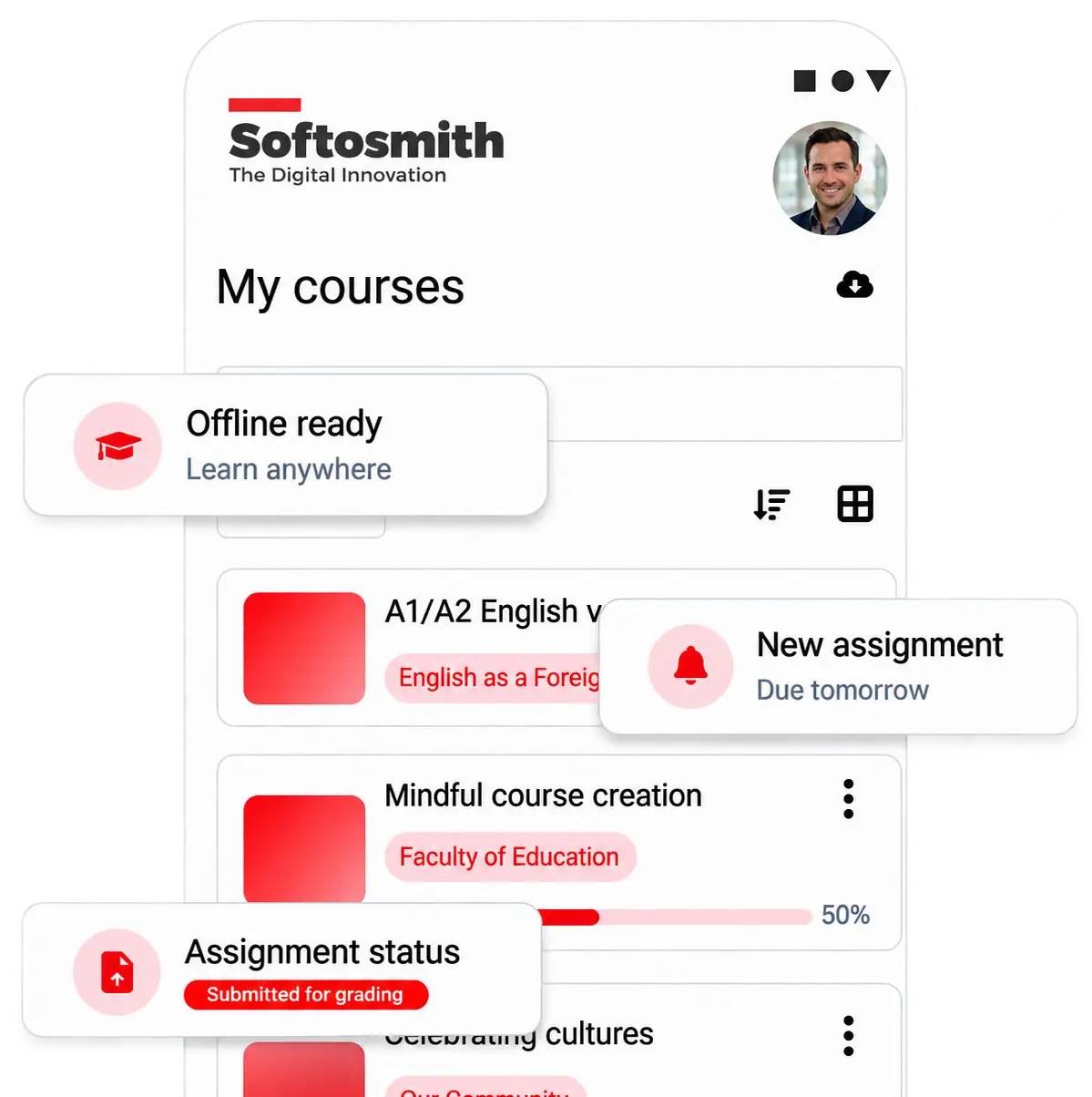
Moodle HQ's free hosted gateway (messages.moodle.net) caps out at 50 active registered devices per calendar month, and it only holds push credentials for the official Moodle app — any custom, white-label app published under your own Bundle ID / Package Name needs its own self-hosted Airnotifier server to receive push alerts at all.
We cover the full Docker Compose deployment, Nginx/SSL setup, APNs & FCM v1 credential configuration, and a push-failure troubleshooting checklist in a dedicated guide: Airnotifier for Moodle — Self-Hosting Push Notifications Guide. For a shorter architecture overview, see our Moodle Mobile Push Notifications service page.
7.Extending Moodle Backend with Custom APIs & Plugins
While Moodle’s built-in Web Services cover standard features, complex mobile requirements often require custom API endpoints. By engineering custom backend plugins (local/yourpluginname), developers can expose proprietary database tables, custom enrolment rules, or third-party CRM syncs directly to the mobile app.
If your organization needs advanced backend capabilities, our specialized Moodle plugin & API integration developers can engineer custom PHP Web Service functions tailored to your workflow.
8. Step-by-Step Moodle Mobile App Development Roadmap
- Phase 1: Discovery & UX/UI Prototyping: Auditing current Moodle version, mapping user personas, and crafting accessible mobile Figma wireframes.
- Phase 2: Core Web Services & Airnotifier Setup: Configuring
moodle_mobile_appweb services, deploying private Airnotifier stack, setting up APNs and FCM v1 keys. - Phase 3: Frontend & Native Development: Building authentications, course content viewers, quiz engines, and offline databases.
- Phase 4: Network Emulation & Offline Stress Testing: Testing low-bandwidth (3G/high latency) scenarios and push delivery reliability across 50+ iOS and Android devices.
- Phase 5: App Store & Google Play Publishing: Managing developer enterprise accounts, app privacy compliance declarations, and review submissions.
- Phase 6: Continuous Upgrade Maintenance: Ensuring continuous compatibility with annual Moodle core releases.
9.Cost, Timeline & ROI Comparison Matrix
The investment required for Moodle mobile app development depends on your choice of architecture:
- White-Label Custom Branding with Private Airnotifier: $5,000 – $15,000 (Timeline: 2–4 Weeks)
- Advanced Custom Ionic Fork with Custom Plugins: $18,000 – $35,000 (Timeline: 6–10 Weeks)
- Custom Headless App (Flutter / React Native): $40,000 – $90,000+ (Timeline: 12–20 Weeks)
Case Study: IDEAL Learning Solutions Moodle Mobile App
See how Softosmith delivered a branded iOS and Android Moodle mobile app with native push notifications, offline course sync, and custom store listings for IELTS & TOEFL exam prep students.
Read the Full Case Study →Partnering with an experienced development team ensures your mobile LMS project is built on solid security principles, compliant with store guidelines, and delivered on time without costly architectural revisions.
10. Future 2026+ Trends in Mobile E-Learning
The next generation of Moodle mobile development is being driven by cutting-edge innovations:
- On-Device Micro AI Tutors: Offline Small Language Models (SLMs) that generate practice quizzes and explain complex topics without cloud API costs.
- AR Overlays: WebXR, ARKit, and ARCore 3D models for vocational, medical, and engineering field training.
- Blockchain Credentials: Tamper-proof digital certificates saved inside mobile wallet apps.
11. Frequently Asked Questions (FAQ)
Can a custom Moodle mobile app work 100% offline?
Yes. Course materials, H5P activities, SCORM packages, PDFs, and quizzes can be pre-downloaded to local encrypted device storage (SQLite/SQLCipher). Students can complete quizzes and upload assignment drafts offline; the app automatically queues submissions and syncs them when network connectivity returns.
What is the difference between white-labeling the Moodle app and building a custom Flutter app?
White-labeling customizes the official Moodle Ionic/Angular app with your organization’s branding, colors, logos, and server URLs while retaining Moodle’s standard interface layout. Building a custom Flutter or React Native app uses Moodle purely as a headless backend API, allowing you to design a completely bespoke UI/UX, custom navigation flows, and specialized enterprise integrations.
How do we prevent video piracy on offline downloaded videos?
Enterprise Moodle apps use HTTP Live Streaming (HLS) with AES-128 encryption or DRM wrappers. Videos are saved in encrypted, segmented fragments that cannot be played outside the application. Additionally, native screen recording blocking (FLAG_SECURE / iOS screen capture prevention) and dynamic user watermarking deter unauthorized distribution.
How long does it take to publish a custom branded Moodle mobile app on the App Store & Google Play?
A standard white-label app deployment typically takes 2 to 4 weeks, including branding setup, build automation, push notification gateway configuration, and store submission. Custom headless app projects take 8 to 16 weeks depending on UI complexity and custom plugin requirements.
Will custom Moodle mobile apps work with custom plugins installed on our server?
Yes, provided those custom plugins expose Web Service endpoints. If your server uses custom PHP plugins, developers can extend those plugins with custom API endpoints (db/services.php) so the mobile app can send and receive custom data payloads seamlessly.
Ready to Launch Your Custom Moodle Mobile App?
Transform your LMS into an engaging, offline-first mobile learning experience. Explore our specialized Moodle Mobile App Development Services or contact Softosmith to schedule a technical architecture session with our lead LMS engineers.